ALIGNMENT SHEET SOFTWARE FOR ARCGIS PRO
Alignment sheet production is unparalleled in the all new Lightning NexGen. Now multithreaded and 64-bit, you can process massive amounts of data in record time.
Looking for sheets in AutoCAD? Try Skyline
Experience the speed of Lightning with a whole new engine. Now multithreaded and 64-bit, you can process massive amounts of data in record time.
A completely new engine built for modern hardware, so your machine is always working at full capacity.
Built directly on ArcGIS Pro — use your existing data, styles, and workflows without conversion.
Everything from the new PipelineML to tried-and-true data sources like shp, file gdb or SDE is at your fingertips.
Whether you're in the design room or the field, Lightning NexGen keeps up.
Process design changes within minutes, without having to restart your project, or reconfigure data sources.
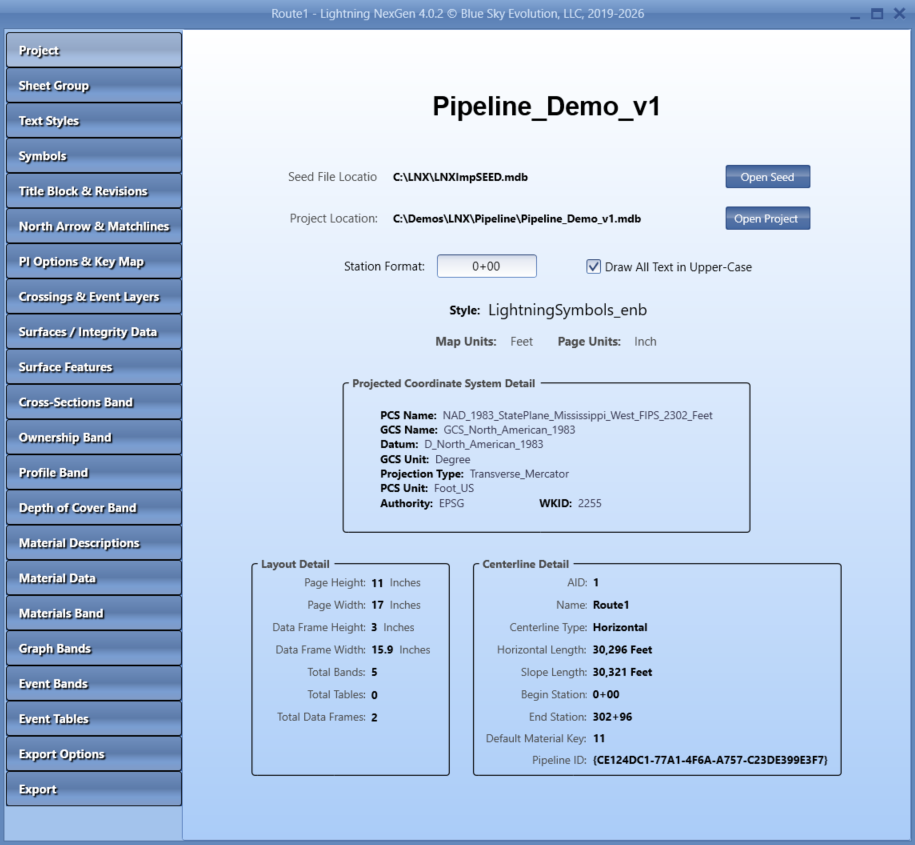
Handle the intense requirements of as-built data easily with automatic station, location and deflection calculations. All project data is stored in a lightweight and portable Blue Sky database for easy reporting and delivery.
Quickly get sheets out to the field for daily maintenance and small projects. Adjust scales on the fly, and position matchline locations exactly where you need them.
Any data that you can import into ArcGIS Pro is usable in Lightning NexGen, even SDE. As well as any data loaded in your Blue Sky database.
Easily connect to data from CAD, survey, land, or other departments who use Blue Sky tools. All of this data is stored in a Blue Sky database which you can use immediately. No reformatting required.
Everything from the new PipelineML to tried-and-true data sources like shp, file gdb or SDE is at your fingertips.
Lightning NexGen is being updated all the time to keep you current with new technology.
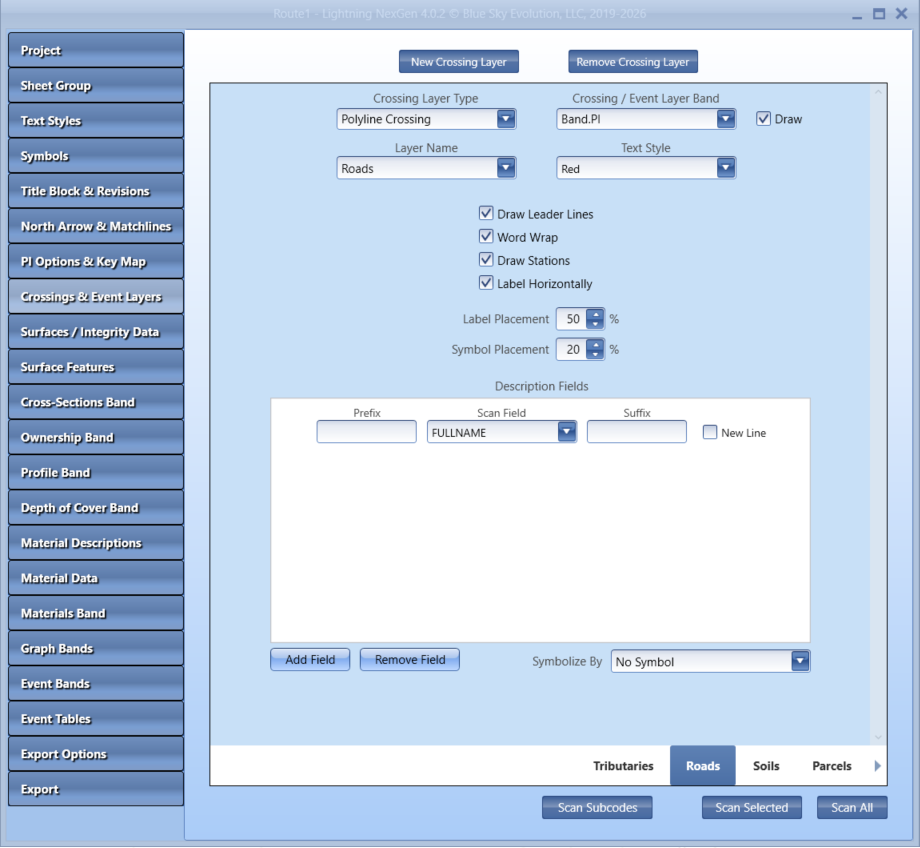
You can add data to Lightning NexGen's out-of-the-box bands, or create an endless number of custom bands. Either way, you have complete control over styles and draw locations.
Every line is different and every project is unique. Adjust spacing, offsets, leader lines, text styles, symbology and more.
Tell Lightning NexGen to adjust data in a band to fit into tight spaces, or expand to fill empty areas automatically. This lets you deliver legible and professional looking sheets with minimal effort.
For each band, simply select which data to use. Lightning NexGen will calculate the stationing and location, or you can provide your own.
Take advantage of our constant engineering and the latest technology and improvements we put into Lightning NexGen.
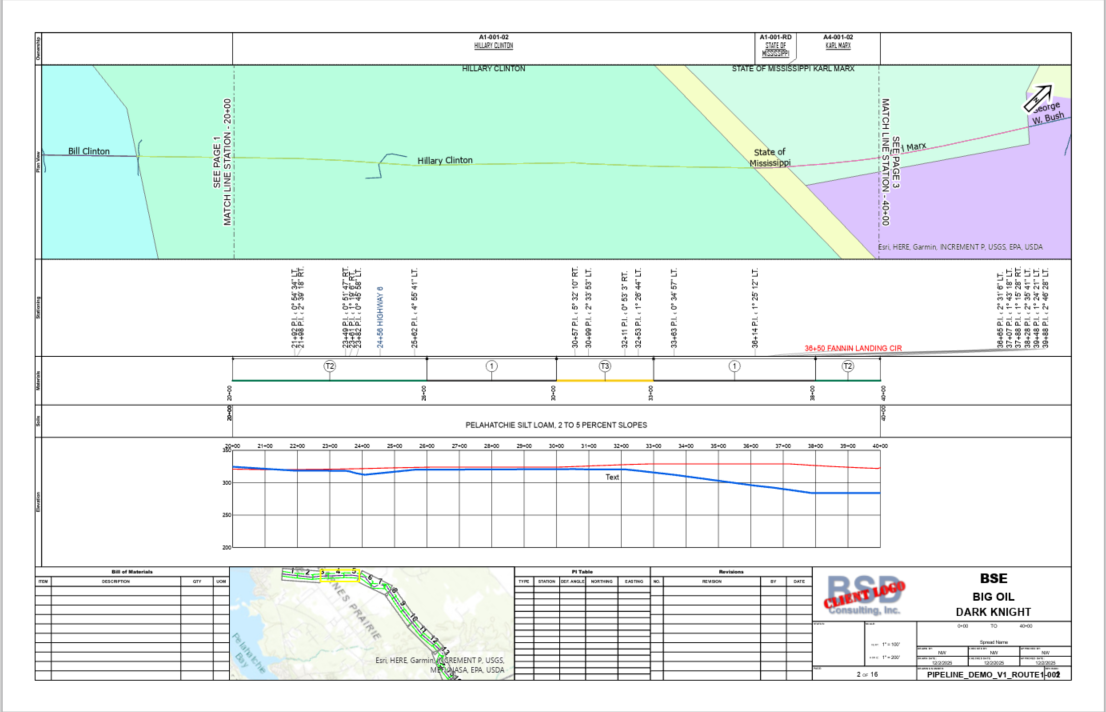
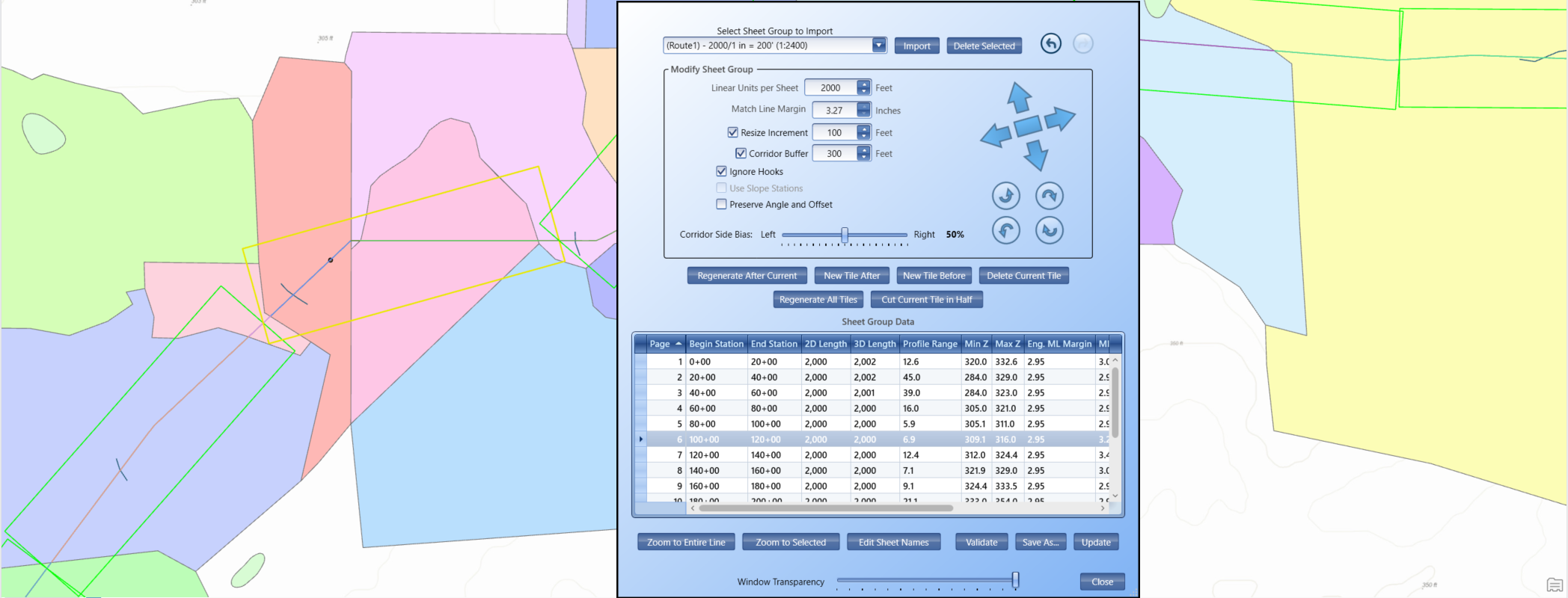
Get to sheets faster with intelligent tile generation. Sheet tiles are placed perfectly on your centerline automatically, so that there is never a gap, and all the bends and sharp angles are included in the Plan view.
Auto-calculate optimum scales and ranges for all graphs, and dynamically locate lines within the middle of the graph on each page. This increases the legibility and use of the alignment sheet.
Lightning NexGen has automatic text and line collision detection. This prevents overlap of elements that should not be overlapping, even in dense mapping environments.
Lightning NexGen is built for speed — and it's ready for your next project.
Schedule a live demo with our team.
Reserve your training day.
Cut sheets faster and deliver on time.
Ask about our Government and Educator prices.